
Genius kids games1.21 - Google Play
You'll be able to see results in few seconds.
Publisher Description
Best learning program for children of all ages.
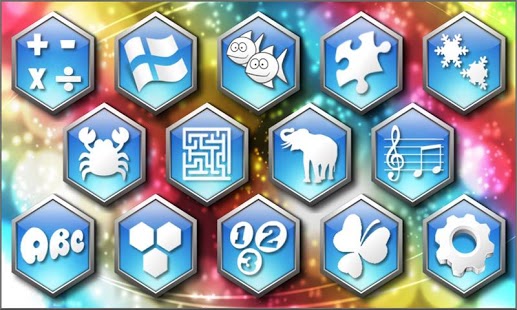
12 games in one with translation in English, Spanish, German, French and Italian:
- math skills with the 4 operations (addition, subtraction, multiplication and division)
- Learn the flags of the countries of the world and their locations.
- Have fun finding the 6 differences in funny pictures.
- Connect the dots to discover surprise figures
- Learn to recognize more than 100 animals including their sounds.
- Solve mazes of increasing difficulties.
- Guess the sound of musical instruments.
- Solve puzzles with fun images and stimulating music.
- learn how to write and read letters and numbers.
- Acquire vocabulary of hundreds of words in different languages.
- Children can choose their options by themselves
- multiple levels of difficulty, increasing the complexity and fighting against time.
- stimulates the intellect, overcoming challenges and difficulties.
- Kids love it and have fun learning math and other skills.
- Parents can follow the progress of their children
- listen to songs that stimulate the mind
Also by playing this game you can acquire the following skills:
- Improve children's skills in memory, concentration and development of knowledge.
- Help with recognition of numbers.
- Keep the children entertained with fun sound effects and musical songs ..
- The game is adapted to be handled easily.
- Is specifically designed as an educational tool for interface of preschoolers and up.
About Genius kids games
The company that develops Genius kids games is AppQuiz. The latest version released by its developer is 1.21.
To install Genius kids games on your Android device, just click the green Continue To App button above to start the installation process. The app is listed on our website since 2014-10-12 and was downloaded 0 times. We have already checked if the download link is safe, however for your own protection we recommend that you scan the downloaded app with your antivirus. Your antivirus may detect the Genius kids games as malware as malware if the download link to com.appquizz.genius.kids is broken.
How to install Genius kids games on your Android device:
- Click on the Continue To App button on our website. This will redirect you to Google Play.
- Once the Genius kids games is shown in the Google Play listing of your Android device, you can start its download and installation. Tap on the Install button located below the search bar and to the right of the app icon.
- A pop-up window with the permissions required by Genius kids games will be shown. Click on Accept to continue the process.
- Genius kids games will be downloaded onto your device, displaying a progress. Once the download completes, the installation will start and you'll get a notification after the installation is finished.
Version History
version 1.21
posted on 2014-10-12
version 1.20
posted on 2013-05-02
Several fixes and updates
Disclaimer
Official Google Play Link
We do not host Genius kids games on our servers. We did not scan it for viruses, adware, spyware or other type of malware. This app is hosted by Google and passed their terms and conditions to be listed there. We recommend caution when installing it.
The Google Play link for Genius kids games is provided to you by apps112.com without any warranties, representations or guarantees of any kind, so access it at your own risk.
If you have questions regarding this particular app contact the publisher directly. For questions about the functionalities of apps112.com contact us.
